
Is “Forge of Empires” educational?
Video games themselves, especially historically-based video games, have a large potential to incorporate educational elements. “Forge of Empires” is no different: the game takes players through the different historical ages by “researching” new technologies, training larger and more powerful armies to battle neighboring regions, building houses to increase population size, constructing goods production buildings, and forging beneficial alliances with neighbors. “Forge of Empires” teaches players to balance input and output; you cannot build new buildings or unlock new technologies without supplies and population, just like the real world. One of the most important parts of this last statement is the constrictions placed by population. In most video games that ask players to build empires/farms/cities/etc., the only limiting factor on construction is supplies. However, “Forge of Empires” takes this a step further into realism: not only does it take a certain amount of population to build the structure, but those population are then dedicated to running the building after it has opened. The population’s overall happiness is another educational wrinkle in “Forge of Empires”: the player must balance production and military buildings with more wholesome, population-focused structures like schools, statues, trees, flowers, and memorials. These additions increase the population’s overall happiness, which is directly correlated to their productivity. The happier your citizens, the more productive they are.
Is “Forge of Empires” educational in a traditional way? Absolutely not. Students are not going to learn explicit facts that they can later regurgitate on a standardized test. They are not learning about Napoleon; they are not learning the difference between Athens and Sparta; they are not learning about the transitions between the Zhou, Qin, Han, Six, and Sui Dynasties. This does not mean that they are not learning. “Forge of Empires” teaches the day-to-day demands of these empires. “Forge of Empires” teaches what the textbooks do not: what was a day like in an ancient empire? How is a day in a civilization who relied on lumbar and dye different from a day in a society who had leather and copper?
No, students will not learn as explicitly as they do with “Sesame Street” or “Arthur”. But allow me to ask the following question; when teaching the progression of militaries over time, which will a student remember more: a prescribed list relying on rote memorization, or the order that they unlocked military technologies in a video game? Secondly, and maybe more importantly, what will engage the student more, and allow teachers more of an opportunity to build on the students’ enthusiasm?
“Forge of Empires” is how I wish I was taught the nitty-gritties of ancient world history.
Gameplay Across Devices
Let’s get back to the game itself for a bit. One of the advantages of “Forge of Empires” is that it can be played on a variety of platforms, including web browsers and mobile phones. I prefer to play through the web browser on my computer; this may be due to the fact that I first started playing the game on a computer, but as I will discuss below, I find the larger format is much easier to navigate.
Overall
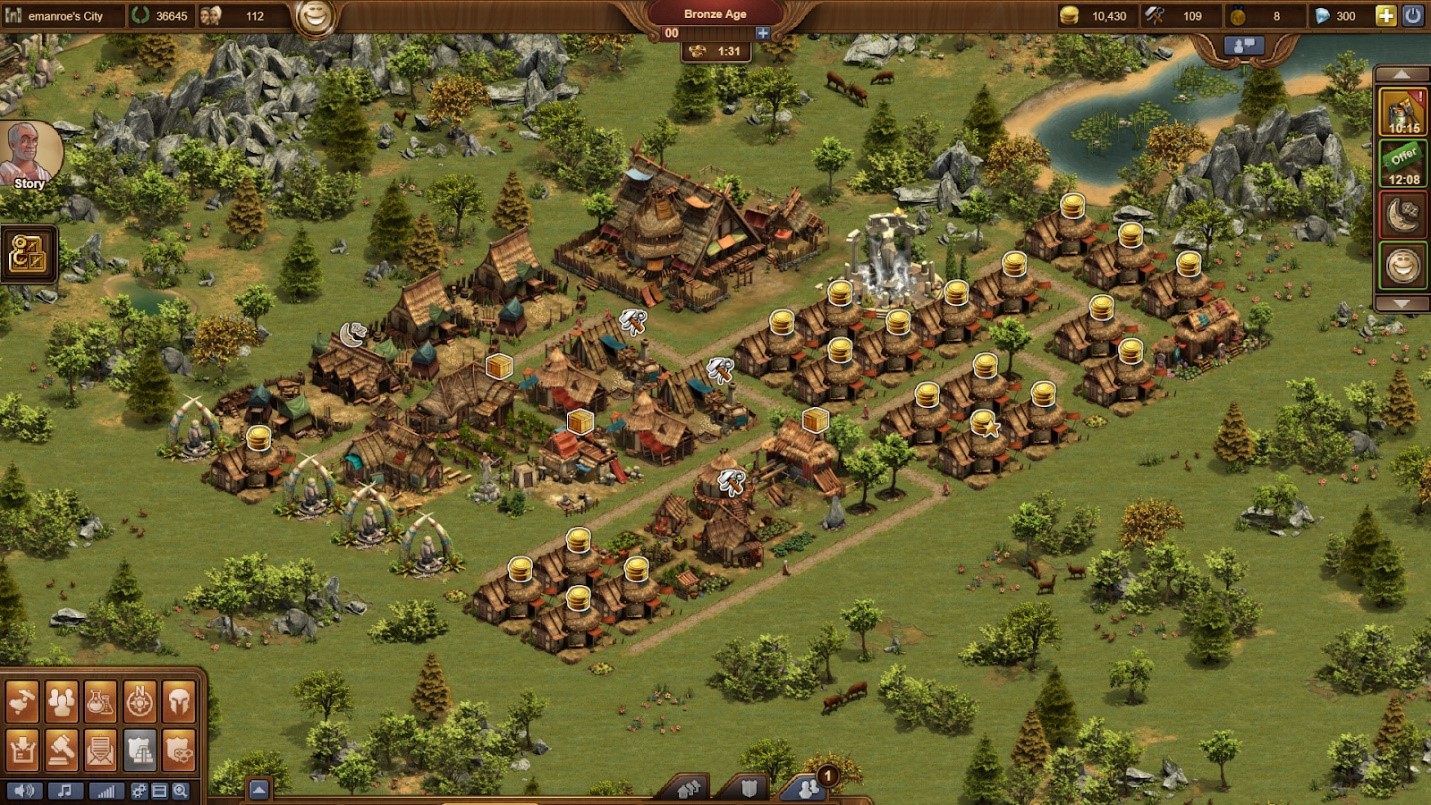
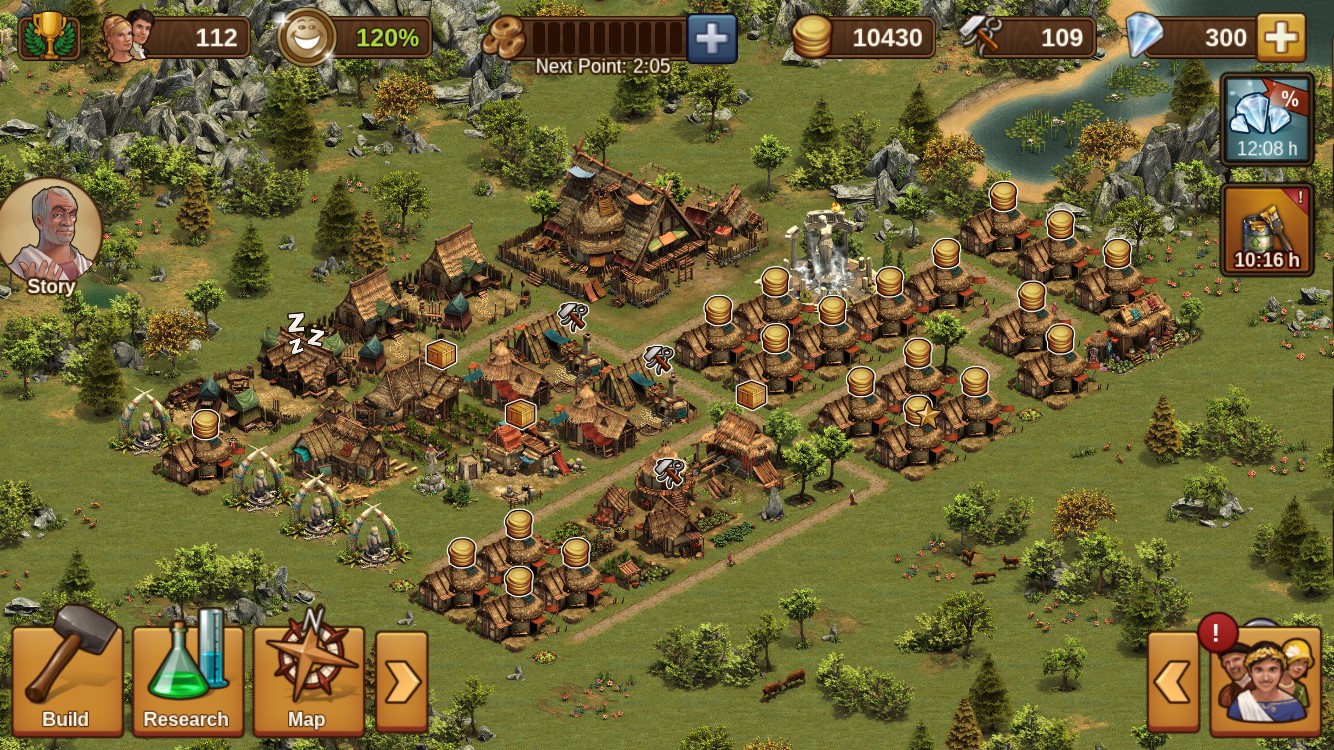
If you recall from my “Set Up” blog, “Forge of Empires” has a multitude of options, menus, submenus, and other little nuances. Trying to navigate through these selections is a bit convoluted on the computer, but is even more so on a phone. As you can see below, the computer version of the game gives players all ten menu options in the lower left corner. On the mobile version, however, they only show three! You have to tap the little arrow next to the map icon to expand more options; even then, this only makes “army”, market”, “inventory”, and “settings” available. You then have to collapse this menu and tap on the menu arrow next to the “social” icon (the people in the lower right) to access “messages”, “expeditions”, “guilds”, and “great buildings”. All of these options, except “great buildings” are presented in the desktop version, which makes things so much easier. Not only that, but because the phone is so small and the abilities are so abundant, I find it is often difficult to be accurate in what I am choosing. With a computer mouse, I can hover over options to access their details; on the phone, you have to attempt to tap a tiny “?”. All too often, I end up selecting the item itself instead of the “?”, which does not end well.
Treasures
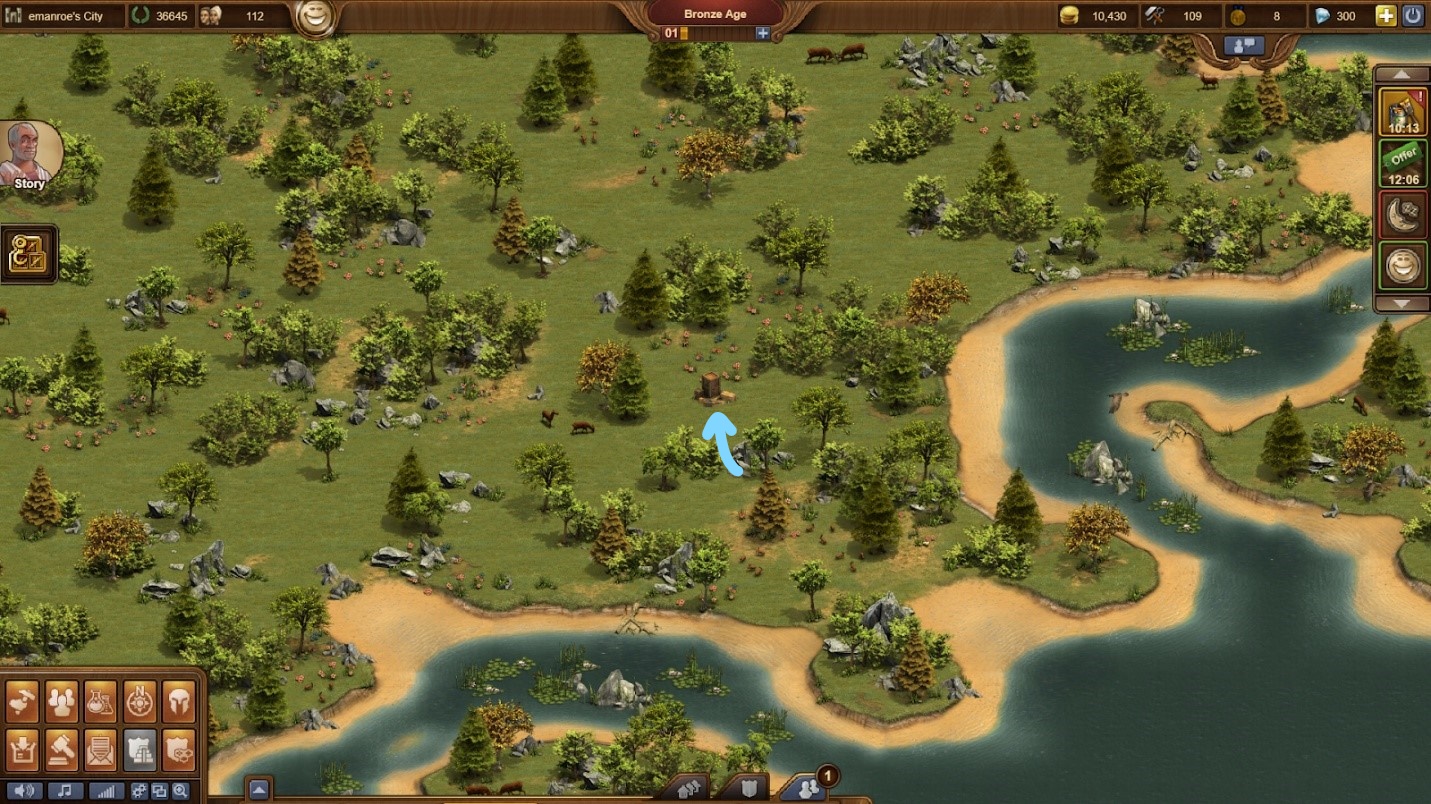
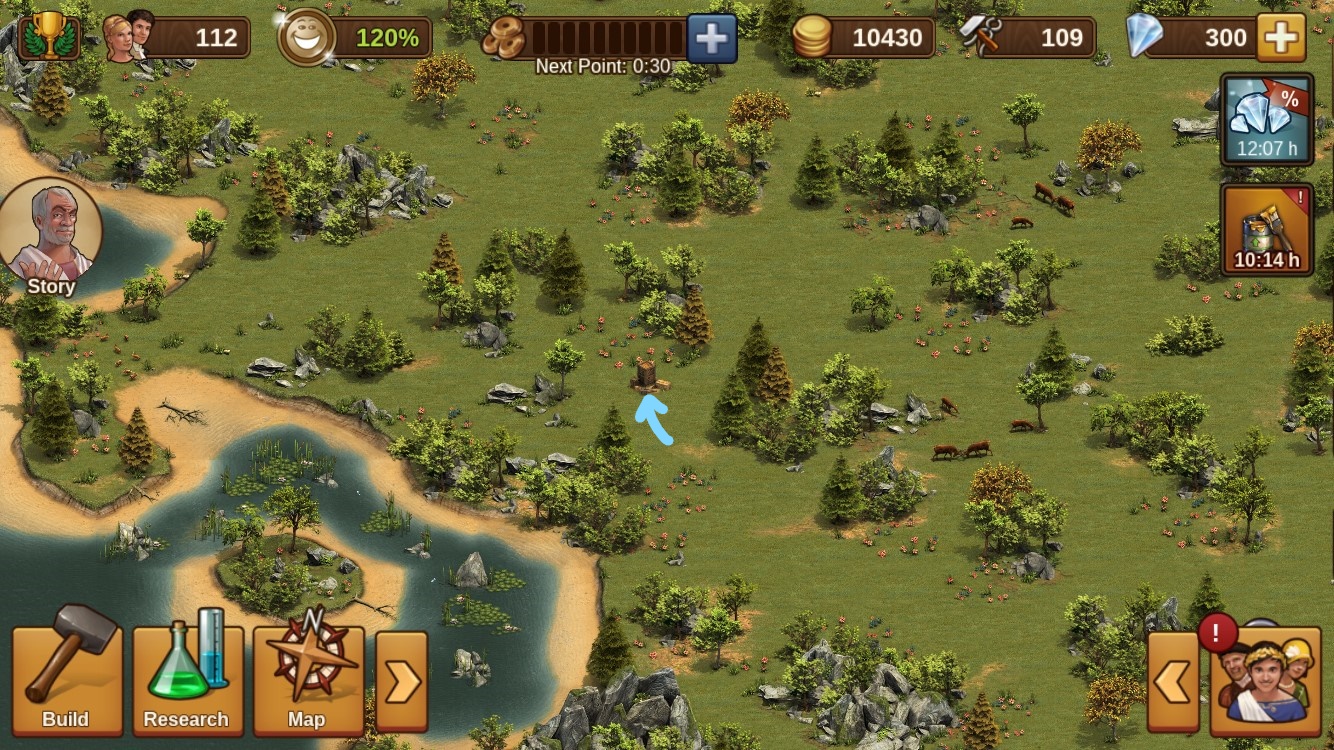
The game places little “treasures” in and around the empire. Finding and selecting these treasures grants the player coins, supplies, medals, and even blueprints. Sounds great, right? It is…on the computer. On the larger format, the treasures themselves are larger, therefore easier to see. Not only that, but the player can zoom and pan through the empire much faster, so you can locate multiple treasures at a time. On the phone, it’s a different story. Though they may look the same size in the pictures below, please keep in mind that my computer screen is 13.5 inches wide, and my phone screen is only 4.125 inches wide. Therefore, the treasures on the phone are about three times smaller than the treasures on the computer screen. Plus, using the mobile app to pan through the land around the active empire is extensive at best. It is easy to get lost, to miss areas, and eventually get frustrated. Plus, once you find one treasure, the game populates a new one in a new spot, so the whole process restarts.
Phone users, may the Force be with you.
Research
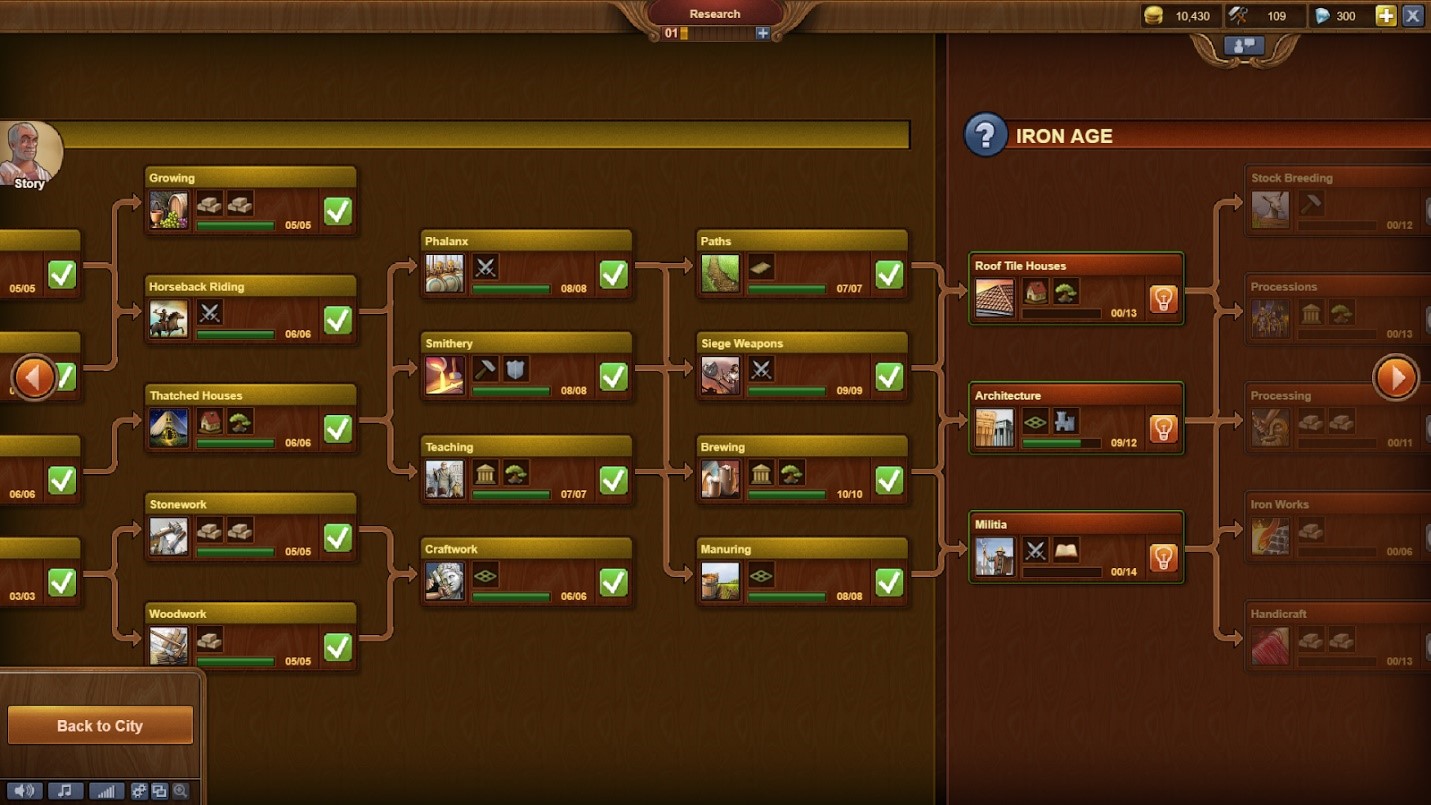
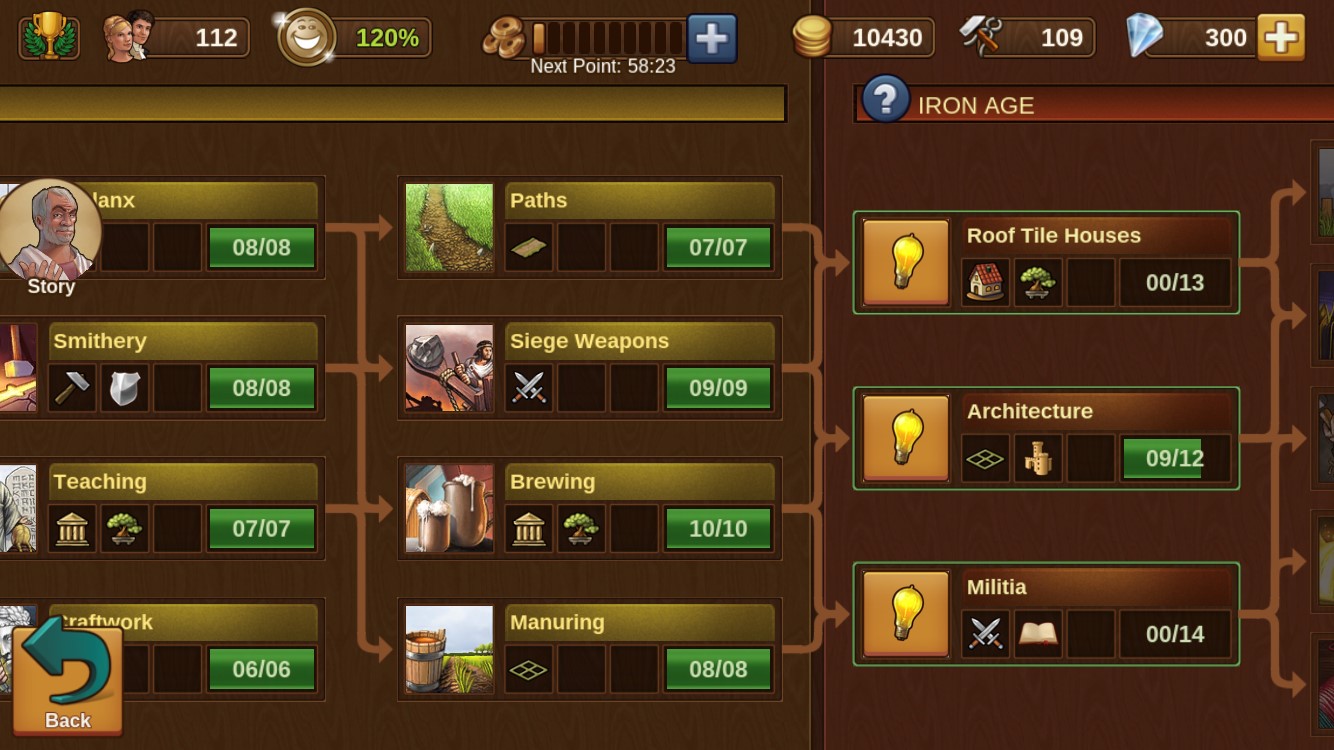
One of the most integral parts to “Forge of Empires” is the research. Unlocking new technologies allows you to build and strengthen your empire; not only that, but reaching the end of the research in one age allows you to move on to the next age. In this way, research is your literal passage through time. The research menu on the computer is large: you can look ahead to what’s to come and look behind to make sure you have not missed anything. Not only that, but you can hover and click through to see what you are unlocking and what those technologies require once you have earned them through forge points. The phone is, yet again, a different story. I feel like I cannot see past my nose when I am trying to research on my phone. I can see two columns, maybe three if I sort of rock back and forth. Everything has to be tapped; I cannot progress or check things as quickly on my phone. Once again, computer wins…by leaps and bounds.
Social
Now, I must preface this: I would choose to play “Forge of Empires” on the computer over the phone every time. No question.
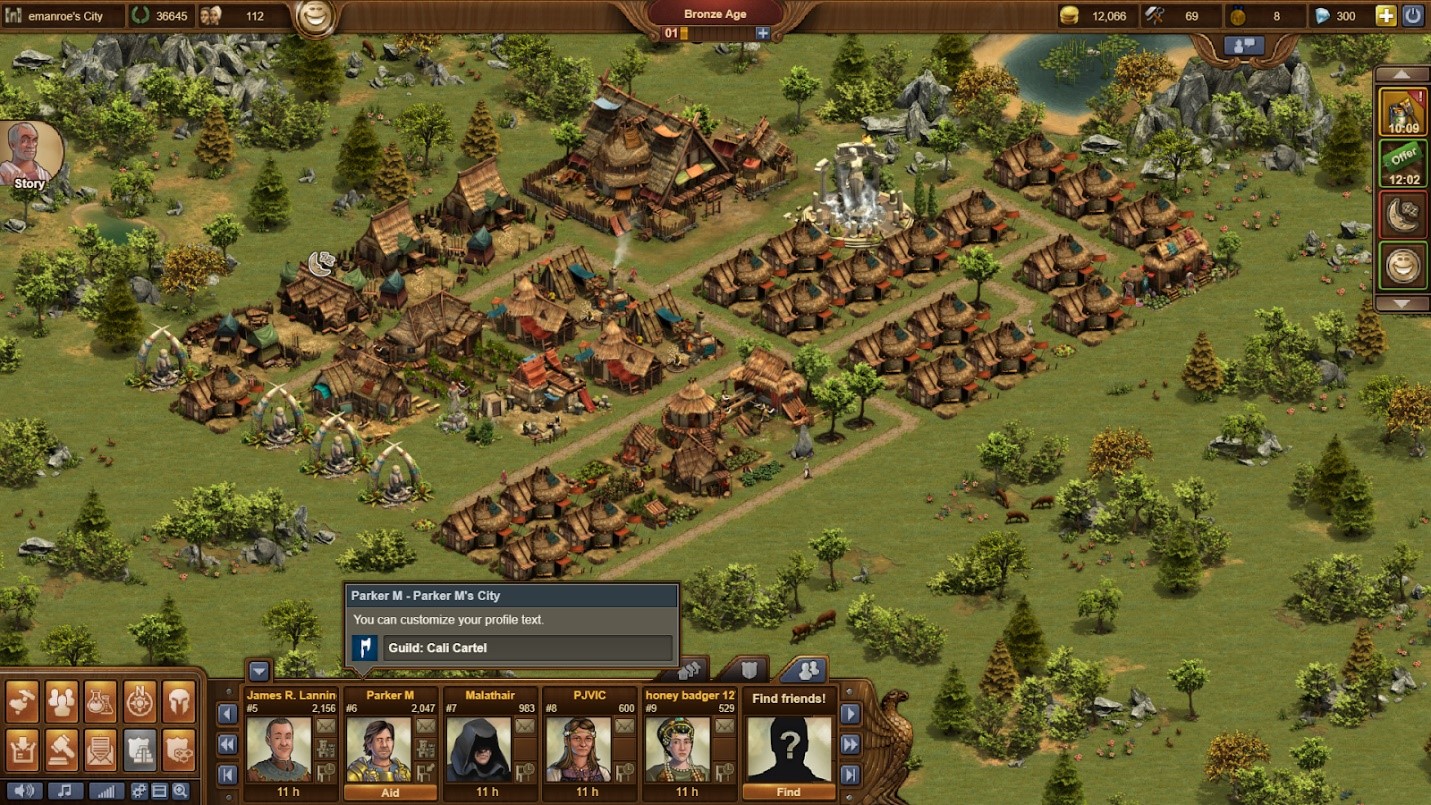
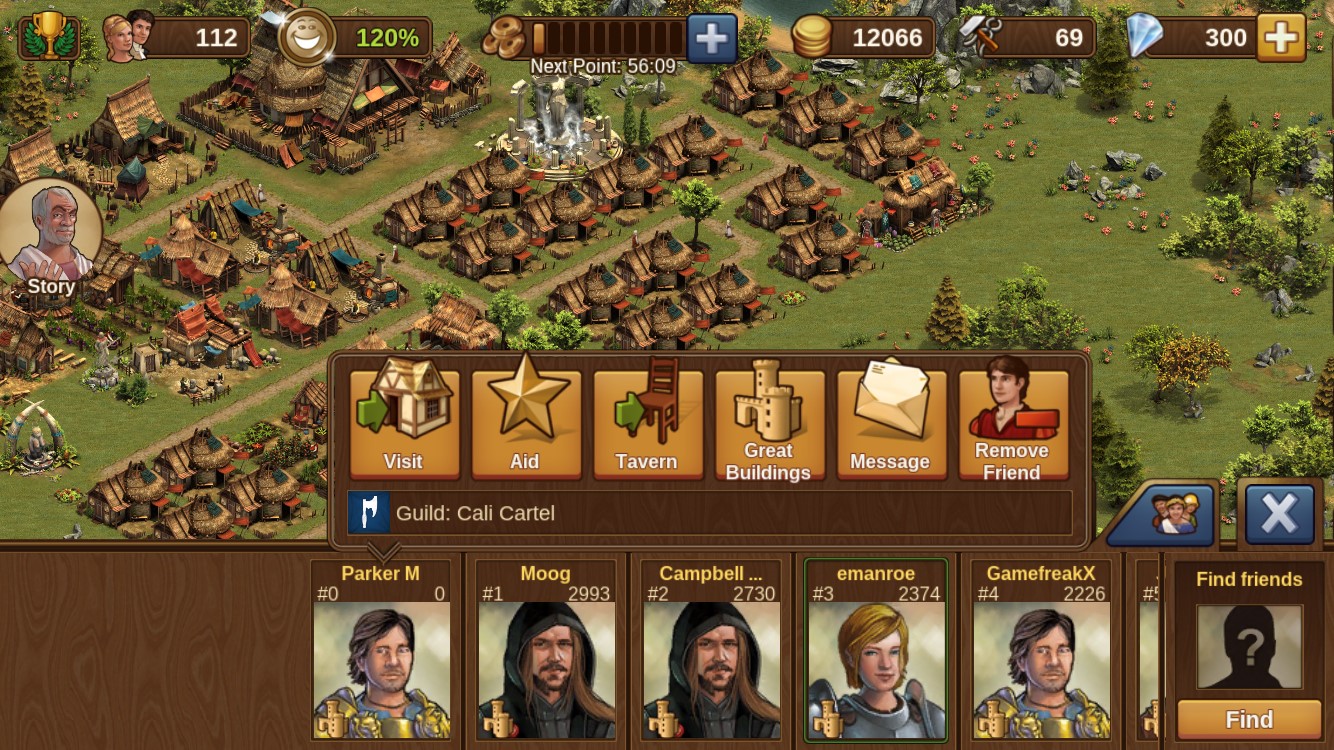
However, the phone does win in one category: the “social” tab. When you make friends in the game, you are able to aid them, i.e. motivate their buildings or polish their statues, as well as sit in their “tavern”. (Stay tuned for a blog all about the social aspect of “FoE”; there just isn’t enough space here!) On the computer, you can navigate pretty well; you can click the “aid” button to motivate or polish, you can click the little chair to the bottom right of their picture to sit in their tavern, you can click the little “great buildings” icon to view their progress, and you can click the little envelope to send them a message. Note my use of “little”. This is incredibly intentional. I mean, look at those buttons! Even with a mouse, they’re tiny! On the phone, however, it’s amazing. Just look at those options! Large format (which is saying something on the phone), easy to tell what each thing is, labelled, ready to go. I can tap through my friends and aid, sit in their tavern, see their great buildings, and send them a message.
Congratulations, mobile app, you got one.
Progress Report
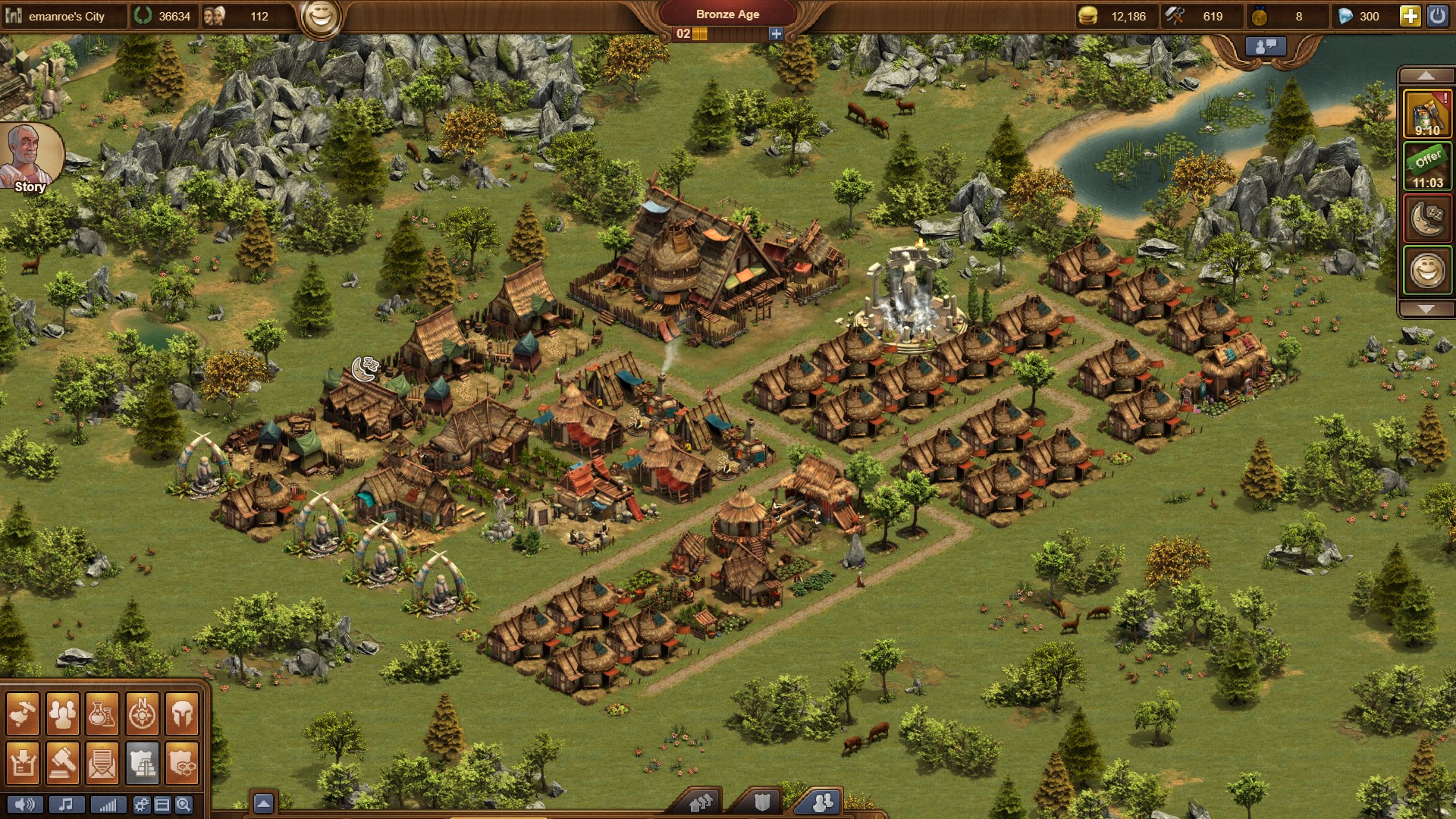
Not much has changed since my last blog. I have, however, acquired a few new buildings, and expanded my actual plot of land by two expansions! I also finished converting my huts and other houses to pure chalets; at my current level, chalets give me the highest allotment of population per residence.
 Emily's Blog